The Desktop PC Buying Guide That Starts With You
The right computer doesn't begin with parts. It begins with purpose. Before looking at processors, RAM, or storage, ask yourself: what do I do most of the time at my desk? The answer will shape every choice that matters. We will go through some compressed but intuitive learning in this article, hopefully creating a powerful (terabyte-strong!) decision making toolkit for choosing a Desktop PC.
In the meantime, you should know that for this specific category the refurbished market has done a great job. It is where refurbishment historically started, decades ago.
refurbed desktop computers are quality-tested by professionals, backed by warranty, and more sustainable than buying new. Every refurbed device goes through a full functionality check, so you get genuine performance at a price that makes sense. Browse desktop computers.
What Kind of Desktop Computer User Are You?
Before you look at a single spec, answer three questions. First: what do you do at the PC for about 80% of your time? Browsing, writing, video calls, or running creative software? Second: what is the heaviest thing you do weekly? Streaming counts less than video editing; spreadsheets count less than 3D rendering. Third: do you want to upgrade in a year or two, or buy and forget?
Think of your desktop computer as a kitchen. The CPU is the chef: it handles instructions, multitasking, and logic. The GPU is the visual effects station: it drives gaming, 3D work, and creative output. RAM is counter space: the more tasks you have open, the more counter you need. Storage is the pantry: where all your files, apps, and projects live.
Don't buy a restaurant kitchen if you only make sandwiches. Hardware is the house. Usage is the family that has to live inside it. Matching the machine to your real workload is where genuine value starts. Browse desktop computers to see the full range.
Desktop PC Hardware Explained: No Jargon
Your software chooses your hardware. The apps you open every day decide what your PC must be capable of. Here is what each part actually does, in plain terms.
CPU (Processor)
The CPU handles the thinking; the GPU handles the seeing. Picture the CPU as the project manager: it coordinates every instruction, delegates tasks, and keeps the whole operation moving. Think of it as the chef in the kitchen: running every order your software places, from opening a browser tab to compressing a large file. It is the logical thinker of the machine, and a strong one means smooth, responsive use across everything. A weak CPU is the bottleneck that makes everything else wait too.
GPU (Graphics Card)
The GPU is the artistic painter. For games, it is the stage lights: without it, the actors stand in the dark. Your monitor is a contract your GPU must fulfill: a 4K screen demands far more than a 1080p screen. Outside gaming, the GPU drives 3D rendering, video export, and local AI inference. In a sense, the GPU is a standalone computer dedicated entirely to showing the right things on your screen. Integrated graphics handle everyday tasks well; demanding visual or AI workloads need a dedicated card.
RAM (Memory)
RAM is desk space, not warehouse space. It holds everything currently in use: open tabs, running apps, active files. When RAM runs out, your PC starts using the floor as a desk. That floor is the storage drive, far slower, and the result is stuttering and waiting. 16GB is the comfortable minimum in 2026; 32GB gives real breathing room for multitasking, creative work, and AI. For developers and power users: RAM is elbow room.
Storage (SSD / NVMe)
Hard drive: big basement. SSD: kitchen drawer. NVMe SSD: the thing already in your hand. SSD is not just storage; it is how fast your PC finds its shoes in the morning. A fast PC with no storage headroom is a sports car with no trunk. Avoid any setup still running a hard drive as the primary drive in 2026.
PSU and Cooling
A bad PSU is like cheap brakes on a fast car. The power supply feeds every component, so skimping here risks everything it powers. Heat is performance tax: CPUs and GPUs throttle their speed when temperatures rise. Good cooling is not a luxury; it is sustained performance.
A PC is a team sport. One superstar part cannot carry a badly chosen team. Compatibility first, performance second, RGB last.
Desktop Computers and AI: The Specs That Matter in the 2026 LLM World
Local AI workloads change the calculus for desktop computers in ways that were not true even two years ago. Here is what to focus on.
GPU VRAM
VRAM is the size of your laboratory bench. A language model must fit entirely on that bench to run at usable speed. 8-12GB of VRAM enables 7B to 8B parameter models offline, which covers most conversational AI and coding assistants. 16-24GB unlocks 30B+ models and local image generation. Below 8GB, most modern open-source models will not load at all.
RAM for AI Workflows
RAM is the difference between an AI-capable workflow and an AI demo that only works when every other app is closed. 32GB is the practical minimum for productive local AI: the model loads into VRAM, supporting data flows through system RAM, and you still need headroom for your other tools. 16GB works for cloud AI only.
The NPU Gap in Refurbished Stock
Most refurbished desktop stock today runs pre-2024 CPUs, which do not include a dedicated Neural Processing Unit. For cloud AI users this is irrelevant: ChatGPT, Copilot, and similar services run entirely on remote servers. The days of buying an 8GB refurbished PC are over for anyone doing serious work, but the NPU gap only matters if you are targeting on-device inference with specific NPU-optimised models.
Cloud AI Users
Running cloud AI tools does not require a GPU at all. An i5 or Ryzen 5 processor with 16-32GB of RAM handles ChatGPT, Copilot, Gemini, and similar services with ease. Running AI locally means confidential documents never leave the machine, which matters for legal, medical, and financial work.
Which Desktop Computer Is Right for You? 6 User Profiles
Don't build for benchmarks; build for your bottlenecks. Every euro should have a job. Specs are not Pokémon. You don't need to collect the highest numbers. The goal is not maximum performance. The goal is no annoying waiting. These six profiles cover the most common use cases.
The Everyday User
Browsing, streaming, email, video calls. An integrated GPU handles everything here. 16GB RAM and an SSD are the essential ingredients. This is the city car of desktop computers: reliable, efficient, and exactly right for the commute it was built for. refurbed has affordable options in this range from around 250 euros.
The Tab Collector and Heavy Browser
RAM is the bottleneck, not the CPU. If you run 30 browser tabs alongside a Slack call, a spreadsheet, and a music app, RAM is what you are shopping for. 16-32GB RAM and a fast SSD cover this profile completely. You don't need a race car; you need a bigger desk.
The Student or Multitasker
Switching between research, writing, video calls, and reference material all day. 16-32GB RAM and a 1TB SSD give enough headroom for a full academic workload. A dedicated GPU is optional unless the course involves design or 3D work.
The Gamer
Split into two distinct groups. Budget gamer: an entry-level dedicated GPU, 16GB RAM, and a fast SSD cover 1080p gaming at good settings. AAA gamer: 8-12GB VRAM, 32GB RAM, and a strong CPU handle current titles at high settings. This is the sports car. Buy it if you genuinely drive it hard. One note: RGB is seasoning, not food. Spend the money where the frame rate comes from.
The Creator: Photo, Video, and 3D
A strong CPU and GPU work together here. Video export leans on the CPU; real-time 3D preview leans on the GPU. 32-64GB RAM prevents project files from stalling the workflow. Tower form factor is worth it for the upgrade path and the cooling headroom.
The AI and ML Experimenter
GPU VRAM is the primary constraint. 32-64GB RAM, a large NVMe SSD for model storage, and a GPU with 16-24GB VRAM make this the construction truck: purpose-built for heavy loads, not optimised for the school run. Cloud AI power users who do not run models locally skip the GPU entirely and focus on CPU and RAM.
Their perfect PC may be wrong for your life. Use these profiles as a starting point, then browse desktop computers to find the right match.
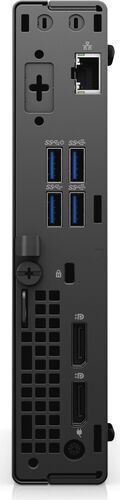
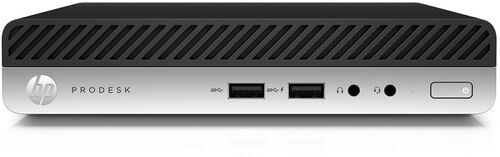
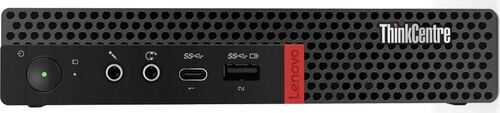
Browse Desktop Computers by Brand
Why Refurbished Desktop Computers Offer Genuine Value
A 2-to-3-year-old refurbished flagship PC often outperforms a brand-new budget PC. The hardware in a premium business desktop from three years ago: a 12th-gen Intel Core i7, 32GB of DDR5 RAM, NVMe storage, frequently beats anything at the same price point new today.
In 2026, memory manufacturers are diverting production capacity toward AI server HBM chips, which is pushing up new PC component prices. The gap between new and refurbished value has widened as a result.
Buying refurbished also saves up to approximately 70kg of CO2 and up to approximately 100,000 litres of water compared to manufacturing a new device. The best refurb is the one nobody notices is a refurb.
Price anchors: affordable options from around 250 euros, a comfortable mid-range sits around 600-1,100 euros, and high-spec workstations start from 1,500 euros. Need peripherals too? refurbed bundles pair a desktop with a monitor and accessories in one purchase.
Browse refurbished desktop computers and filter by spec, brand, or budget.
What to Check When Buying a Refurbished Desktop Computer
That looks like a great deal. How do you know it is not a dud? Six things to check before you buy.
CMOS Battery: If the date and time reset at every boot, or if BIOS settings keep reverting, the CMOS battery is dead. It costs a few euros to replace, but it is a red flag for how the machine was stored and maintained.
Model Number Check: Look up the exact model number against the brand's original spec sheet. Some refurb listings describe a chassis while quietly substituting a lower-spec component. Two minutes of research closes that gap entirely.
SSD is Non-Negotiable: Avoid any listing that shows an HDD as the primary drive in 2026. An SSD is the single biggest real-world speed upgrade on any refurbished machine. If the listing says hard drive only, move on or factor in the cost of an SSD upgrade.
Windows 11 Compatibility: Windows 10 reached end of life in late 2025 and security patches have stopped. Check that TPM 2.0 and Secure Boot are enabled before purchasing. Most 8th-gen Intel and Ryzen 2000+ platforms support both.
Refurb Grading: Grade A, B, and C reflect cosmetic condition only: scratches, dents, and wear marks. On refurbed, every product is functionality-tested regardless of grade. A Grade C machine performs identically to a Grade A machine; it just has more character.
Warranty: Every refurbed product includes at least a 12-month warranty. If a listing offers no warranty, that is the price you are actually paying for.
Desktop Computer FAQs
Is 16GB RAM enough for a desktop computer in 2026?
Yes, for everyday use. Browsing, office work, video calls, and cloud AI tools all run well on 16GB. 32GB is the better choice for heavy multitasking, video editing, or local AI workloads. The days of buying an 8GB refurbished PC are over: 16GB is the new sensible floor.
Do I need a dedicated GPU for AI on my desktop PC?
Only for running AI models locally. Cloud AI tools, including ChatGPT, Copilot, and Gemini, work fine on integrated graphics with a decent CPU and 16GB+ RAM. Local AI starts at 8GB of GPU VRAM for 7B-8B models; serious work, including 30B+ models and image generation, needs 16-24GB.
What CPU generation should I look for in a refurbished desktop?
10th-gen Intel Core or AMD Ryzen 5000 series is the sensible minimum in 2026. 12th or 13th-gen Intel, or Ryzen 7000 series, offers the best value-to-performance ratio in current refurbished stock. Pre-2024 CPUs lack a dedicated NPU, which does not matter for most use cases, only for specific on-device AI inference.
Tower vs. compact desktop: which is better?
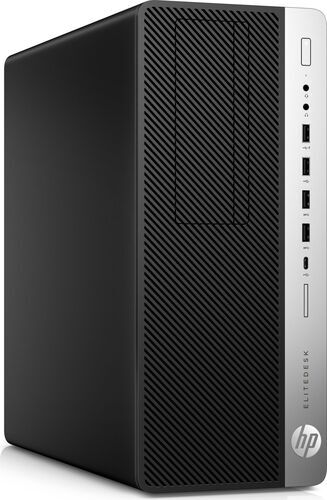
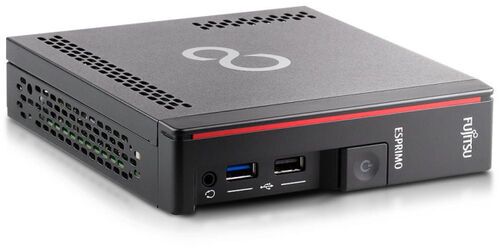
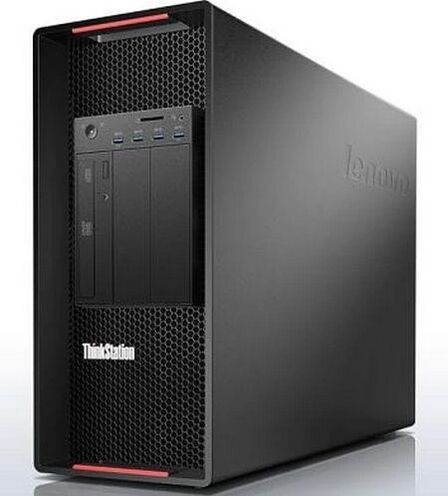
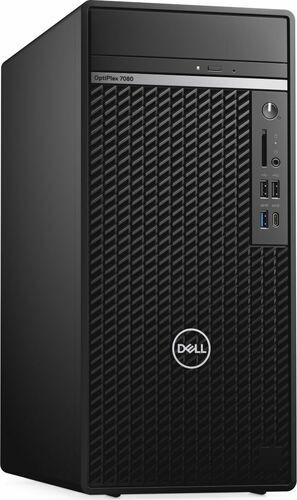
Tower wins on upgradeability, GPU support, and cooling. Compact SFF desktops win on desk space and portability. All-in-One designs are the hardest to upgrade and the hardest to repair. A tower is the modular camper van of desktop computers: you can change almost anything without replacing the whole vehicle. For most people with space, the tower is the better long-term investment. Short on space? A laptop might suit you better. Browse desktop computers to compare all form factors.
Ready to Find Your Desktop Computer?
Buy for Tuesday afternoon, not fantasy future-you. Browse quality-tested refurbished desktop computers on refurbed, each with a warranty included and tested by professionals before it reaches you.

Sign up for our newsletter for the first time and save £15!
Never miss an offer again.
Information about the use of personal data can be found in our Privacy policy.
Get the refurbed app
For iOS and Android


Confirm sign-up
Almost done: We’ve sent you a confirmation email
- © Refurbed Marketplace GmbH
- Accessibility
- T&C
- Privacy Policy
- Imprint
- Legal Notices
- Cookie Policy