MacBook comparison 2026: Neo, Air, or Pro?
The 2026 MacBook lineup is the clearest Apple has ever drawn its lines. Three machines, three very different people.
The MacBook Neo starts under £530, the first Mac that costs less than many flagship Android phones. For the right person, it is a capable machine. The MacBook Air is where most buyers in this MacBook comparison 2026 end up, and for good reason. The MacBook Pro is the machine whose price justification comes from the work it produces.
The real conversation is Air vs Pro, and a firm answer follows. On refurbed, the 2024 and 2025 generations of Air and Pro are available right now at significantly lower prices, each backed by a 12-month warranty.
Which MacBook should you buy? The honest short answer
Choose the MacBook Neo if your day is email, web, YouTube, video calls, and the occasional Word doc, and under £530 is the right price for you. It handles all of that without complaint.
Choose the MacBook Air if you have ever felt a laptop slow down under pressure, work in creative apps even occasionally, or want a machine that will still feel fast in four years. MacBook Air models are available on refurbed from £508 (M2, 2022), £691 (M3, 2024), and £851 (M4, 2025).
Choose the MacBook Pro if the result of your work ends with money entering your bank account: sustained video editing, 3D rendering, large audio production, or professional software that cannot wait for its hardware. MacBook Pro models are available on refurbed from £867 (M3 Pro, 2023), £1,196 (M4 Pro, 2024), and £1,296 (M5, 2025).
Consider a refurbished MacBook Air instead of a new Neo if you are comparing prices. A refurbished M3 Air from refurbed starts from £691 and a refurbished M4 Air from £851. Both include a backlit keyboard, Force Touch haptic trackpad, MagSafe charging, Thunderbolt 4, and 16 GB of RAM. The smarter buy at comparable money.
Around 70% of laptop users sit in the Neo-to-Air range. The section below settles most of it.
MacBook Neo vs Air vs Pro: specs at a glance
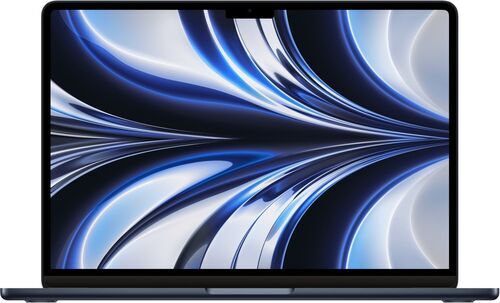
Price on refurbed
Under £530
Chip
A18 Pro (6-core)*
RAM
8 GB (locked)*
Display
13.0" 60Hz sRGB*
Ports
2x USB-C 3.1*
Cooling
Fanless*
Weight
1.23 kg*
Wi-Fi
Wi-Fi 6E*
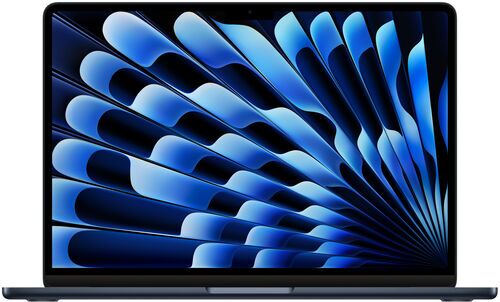
From £940
M5 (10-core CPU)
16-32 GB
13.6" 60Hz P3
2x TB4 + MagSafe
Fanless
1.24 kg
Wi-Fi 7
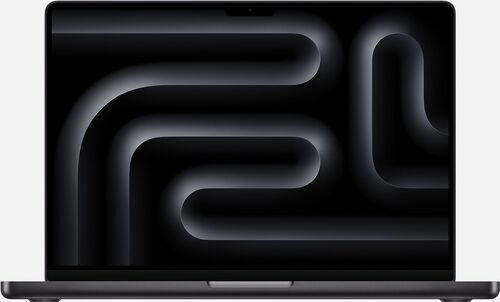
From £1,889
M5 Pro (15-core CPU)
24 GB+
14.2" 120Hz P3
3x TB5 + HDMI + SD + MagSafe
Active fans
1.60 kg
Wi-Fi 7
- MacBook Neo 2026 specs from Apple's published specifications.
Which MacBook fits your life? A straight-talk profile match
Student / casual user
Great!
First-time Mac switcher
Great!
Knowledge worker
Comfortable
Semi-pro photo / video
Not at all
Pro video / VFX / 3D
Not at all
Developer
Comfortable
Traveller / commuter
Great!
Budget-conscious buyer
Great! (new)
Local AI / on-device
Not at all
Desk-bound power user
Not at all
vs.
Great!
Great!
Great!
Great!
Not at all
Great!
Great!
Great! (refurbed M3/M4)
Comfortable
Comfortable
vs.
Comfortable
Not at all
Comfortable
Comfortable
Great!
Comfortable
Comfortable
Comfortable (refurbed M4)
Great!
Great!
MacBook Neo: impressive entry point, know the ceiling
Starting under £530, the MacBook Neo is the first Mac that costs less than many flagship Android phones. For the right person, it is an excellent machine.
The A18 Pro chip, the same 6-core chip as the iPhone 16 Pro, handles web, email, Slack, video calls, and light 4K editing without drama. Real-world battery lands around 8 to 10 hours of typical use. The users it is built for: students, first-time Mac buyers, light casual users. 'Students, grandmas, and my 27-year-old brother who watches YouTube' is a fair summary. Around 70% of all laptop buyers fit this profile.
The ceiling is stated plainly:
8 GB RAM, no upgrade path. Multiple reviewers call this the most meaningful long-term constraint. In 3 to 5 years, growing app demands may feel tight. Buying a Neo in 2026 means committing to 8 GB for the machine's entire lifespan.
Non-backlit keyboard and mechanical (non-haptic) trackpad. Both are noticeably below the Air and Pro in daily use.
2x USB-C only. No MagSafe, no Thunderbolt, no HDMI, no SD card. The front port runs at USB 2 speed. macOS tells you which port is which, but that does not make the limitation less real.
Explore the MacBook Neo on refurbed. If any of those limitations sounds familiar from your last laptop, the Air in the next section is the smarter long-term buy.
MacBook Air vs Pro: pay for the work you actually do
For most buyers, the MacBook Air M5 2026 is where the decision ends, even with the Neo offering a cheaper option. It suits knowledge workers with 20 Chrome tabs open, semi-pro creators and developers on light-to-medium projects. The MacBook Pro M5 Pro 2026 earns its price when long video edits, 3D rendering or large builds are regular, paid work rather than occasional peaks.
The Air is a substantial step up from the Neo: a backlit Magic Keyboard, Force Touch haptic trackpad with adjustable sensitivity, MagSafe charging, 2x Thunderbolt 4 for faster transfers, and a 1080p Center Stage camera that gives a more natural image than the Neo's over-sharpened one. Its M5 10-core chip delivers roughly double the multi-core and GPU performance of the Neo's A18 Pro. The 13.6-inch, 2560x1664, 60Hz IPS display has P3 wide colour for more accurate creative work.
Get the Air's memory right first: it comes with 16 GB or 32 GB. For serious creative or sustained professional work, go straight to 32 GB. The fanless Air will throttle under extreme sustained loads, but most buyers never reach that ceiling. Among fanless laptops, it is consistently a battery leader at around 10 to 12 hours of typical use, 20 to 25% more than the Neo in practice. The 2026 model's Wi-Fi 7 also brings meaningfully faster wireless than the Neo's Wi-Fi 6E.
If those demanding workloads are your working day, the M5 Pro is a different proposition. The 2026 model on refurbed has a 15-core CPU and 16-core GPU, not the base M5 in the Air. It suits long-form or broadcast video editors, VFX and 3D artists working in Blender or Unreal Engine, audio engineers running hundreds of Logic or Ableton tracks, developers building large native apps with Docker and Xcode running together, and people running local AI models, where RAM is where the models live. Active cooling keeps the Pro working through VFX renders, long encoding sessions and heavy compilation. Long-term Pro users report never hearing the fans in normal use.
The step up also buys 3x Thunderbolt 5, HDMI and an SD card slot. Thunderbolt 5 offers nearly 3x the bandwidth of the Air's Thunderbolt 4, which matters for high-bandwidth external drives, docks and pro peripherals. The M5 Pro offers 64 GB of RAM; in the M4 generation, reaching 64 GB required a Max chip. That makes the 14-inch M5 Pro with 64 GB the best configuration for photo and video creators.
Prices on refurbed: the Air M5 2026 starts from £940, while a refurbished MacBook Air M4 2025 starts from £851. The M5 Pro starts from £1,889. If you are still unsure whether you need the Pro, buy the Air. The Pro is the one to buy when your work pays for the machine.
Two monitors? Check the Air generation first
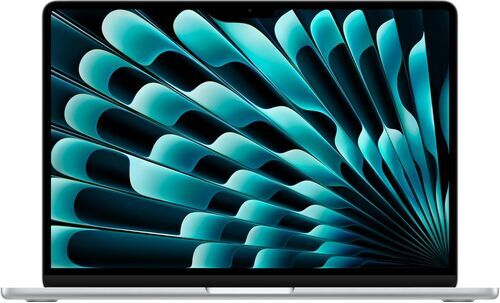
A two-monitor desk does not automatically call for a MacBook Pro. The MacBook Air M4 2025 and MacBook Air M5 2026 can each run two external screens while their own screen stays open. A refurbished MacBook Air M3 2024 can also run two external screens, but only with its lid closed.
A Pro-chip MacBook Pro supports two external screens; a Max-chip model supports up to four. Count the external screens you use, then decide whether you need the laptop screen alongside them. For two monitors plus the laptop screen, an M4 or M5 Air does the job. If you need more than two external screens, choose a Max-chip Pro.
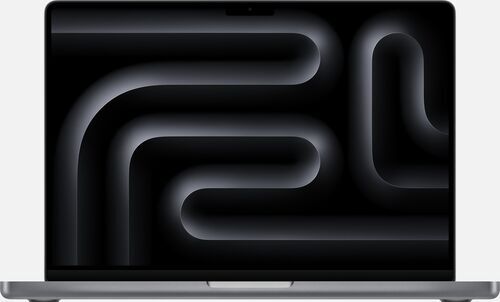
MacBook Air vs MacBook Pro: current refurbed picks side by side
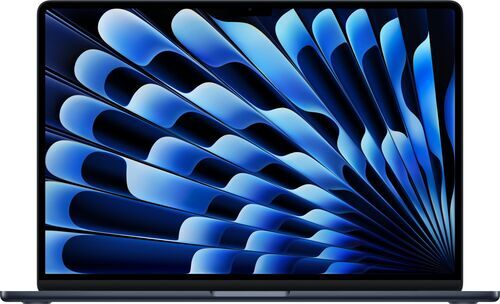
Price on refurbed
About £830-£960
Chip
Apple M4, 10-core CPU
GPU
8-core
Max RAM
24 GB
Display
13.6" IPS 60 Hz
Ports
2x Thunderbolt 4 + MagSafe
Cooling
Fanless
Weight
1,240 g
Battery
52.6 Wh
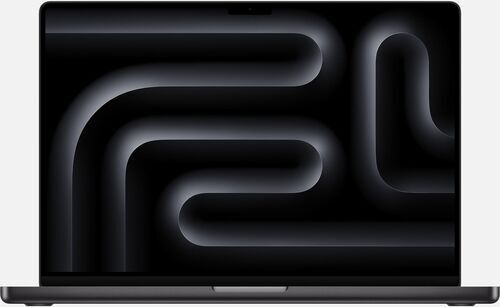
About £1,180-£1,300
Apple M4, 10-core CPU
10-core
64 GB
14.2" IPS 120 Hz
3x Thunderbolt 4 + HDMI + SD
Active fans
1,620 g
72.4 Wh
MacBook Air vs MacBook Pro: what tips the decision
Both available on refurbed now. Same M4 chip generation, different machines for different people. The price gap narrows when you go refurbed. The spec gap does not.
Ports: the dongle problem
The Neo and the Air have no SD card slot and no HDMI. 'You park at your home desk. Soon, it becomes a crime scene of dongles.' An Air with a good Thunderbolt dock is a valid solution, but docks cost about £70 to £130, and that narrows the real-world price gap with the Pro considerably. If an SD card reader and HDMI are part of your weekly workflow, the Pro's built-in ports save money and friction over the life of the machine.
Thermal headroom: the fans you never hear
The Air is fanless and will throttle under extreme sustained loads. The Pro has active cooling that eliminates the performance ceiling. The practical reality: multiple long-term Pro users report they have never heard the fans on an M-series MacBook Pro. The fans exist for the most demanding 1% of use cases: VFX renders, long encoding sessions, heavy compilation. If your work does not include those, the Air's fanless design is a non-issue.
Display: ProMotion and the 120 Hz difference
The Air's 13.6-inch display is IPS P3 at 60 Hz. The Pro adds ProMotion 120 Hz, higher peak brightness, and an optional nanotexture matte finish. For colour-critical work or regular outdoor use, this gap is real.
RAM ceiling: where the Pro wins
The Air M4 2025 tops out at 24 GB. The Pro M4 2024 goes up to 64 GB. For professional video editors, large Xcode projects, or local AI users running large models, the RAM ceiling is the deciding factor: not the GPU, not the fans. A specced-up Air approaches Pro territory in price while hitting this ceiling.
The waiting cost trap
There is a hidden cost to waiting for the next MacBook Pro refresh. Professionals who need the Pro buy it. Those going back and forth after two weeks are often telling themselves something. 'There'll always be a next one. Don't let it trip you up.' If you have been deciding between Air and Pro for more than two weeks, buy the Air.
The sleeper pick in this MacBook comparison 2026: buy refurbished Air
At prices close to the new MacBook Neo, a refurbished M3 or M4 MacBook Air delivers what the Neo does not: backlit keyboard, Force Touch haptic trackpad, MagSafe charging, Thunderbolt 4, and 16 GB of RAM. Karl Conrad called it 'the sleeper one to buy.'
The numbers: a refurbished MacBook Air M3 2024 13.6-inch is available on refurbed from around £670 to £790. A refurbished MacBook Air M4 2025 runs from around £830 to £950. Both include a 12-month minimum warranty and a 30-day free trial.
A quick color note: M3 and newer MacBook Airs no longer come in classic Space Gray. If you see a Space Gray Air in a second-hand listing, it is almost certainly an M2 model. That colorway is a buying signal, not a red flag.
Every refurbished MacBook on refurbed is professionally tested, cleaned, and backed by a minimum 12-month warranty with 30-day free returns. A refurbished Air delivers a machine that handles your work for years: not just today, but in 2028 and 2029 when app demands have grown. And it saves approximately 70 kg of CO₂ and around 100,000 litres of water compared to buying new, while keeping electronics out of landfill.
What buyers often get wrong: MacBook comparison 2026 mistakes to avoid
Choosing the 16 GB MacBook Air. Skip the 16 GB Air configuration for any semi-professional or creative workload. Go straight to 32 GB. 16 GB will feel limiting within two years for anyone doing more than light work.
Writing off the Neo because of the 8 GB RAM debate. If your day is web, email, Slack, and YouTube, 8 GB handles that without drama today. The concern is longevity over 3 to 5 years, not day-one performance. The head of IT at a large engineering firm daily-drives a Neo and has never hit the wall. The spec debates on forums are largely disconnected from real daily use.
Waiting for the next MacBook Pro. There will always be a next one. The indecision itself has a cost: in time, productivity, and money spent on whatever you are currently making do with. Professionals who need the Pro buy it.
Treating the 16-inch Pro as a daily portable. It rarely leaves the house. It is a desk machine in a laptop chassis. The 14-inch Pro is the portable powerhouse.
Assuming M5 improves your cloud AI tools. If you use ChatGPT, Claude, or Perplexity via a browser or app, those requests go to servers. The chip on your Mac is irrelevant for cloud AI. The M5's AI gains apply to local on-device models: transcription apps, DrawThings, locally-run LLMs.
Why buy a refurbished MacBook from refurbed?
Optimal batteries, from day one. MacBook batteries are the most cited concern when buying refurbished. Every MacBook inspected by refurbed is battery-tested and brought to an optimal performance state before it ships. The result: a machine whose battery performs as expected, with no need to budget for a replacement afterwards. Buying through refurbed makes the question of a replacement battery irrelevant. It arrives sorted.
Apple expertise, refined over years. MacBooks require a different depth of knowledge than generic laptops. Apple Silicon, proprietary architecture, sealed chassis, macOS integration: refurbed has built its inspection and restoration processes specifically around Apple hardware. That expertise is what backs every refurbished MacBook on the platform.
The numbers behind buying refurbished. Each unit sold on refurbed carries verified environmental savings compared to buying new:
↓ MacBook Air 13.6" M3 (2024): SAVED 283.8 kg CO₂e | 72,354 L water | 1,337.8 g e-waste
↓ MacBook Air 15.3" M3 (2024): SAVED 352.6 kg CO₂e | 89,845 L water | 1,603.7 g e-waste
↓ MacBook Pro 14" M4 (2024): SAVED 385.9 kg CO₂e | 98,117 L water | 1,712.2 g e-waste
↓ MacBook Air 13.6" M4 (2025): SAVED 284.2 kg CO₂e | 72,573 L water | 1,351.7 g e-waste
↓ MacBook Air 15.3" M4 (2025): SAVED 353.0 kg CO₂e | 90,121 L water | 1,621.3 g e-waste
↓ MacBook Pro 14" M5 (2025): SAVED 366.8 kg CO₂e | 93,289 L water | 1,642.2 g e-waste
12-month minimum warranty + 30-day free trial. The same baseline protection as a new purchase, whatever condition grade you choose.
Not happy? Return it.
MacBook FAQ 2026: Neo, Air, and Pro
Is the MacBook Neo enough for everyday use?
Yes, for most everyday tasks. Web, email, Slack, video calls, and light editing sit comfortably within the Neo's A18 Pro chip. The real concern is longevity: 8 GB RAM may feel limiting in 3 to 5 years as apps grow heavier. For anything beyond light use, the MacBook Air is the better long-term investment.
MacBook Air or MacBook Pro: which should I choose?
The Air is the right answer for the majority of buyers in this comparison. Choose the Pro only if your work is sustained, demanding, and income-linked: video production at broadcast scale, 3D rendering, audio engineering with large project files. If you are still asking, the Air is almost certainly the right call.
Is a refurbished MacBook Air still worth buying in 2026?
Yes. A refurbished MacBook Air M3 2024 starts from around £690 and a refurbished M4 2025 from around £850 on refurbed. Both come with 16 GB base RAM, a backlit keyboard, MagSafe, and Thunderbolt 4, at significantly less than a new Air M5 2026.
Do I need the M5 chip?
For cloud AI tools (ChatGPT, Claude, Perplexity via browser or app), the chip on your Mac is irrelevant: those requests go to servers. The M5's on-device AI gains apply to local models: transcription apps, DrawThings, locally-run LLMs. For everything else, focus on chip tier (M vs M Pro vs M Max) and RAM, not the generation number.
Ready to find your MacBook on refurbed?
Three MacBooks, three clear lanes. On refurbed you can access the MacBook Air and MacBook Pro from the 2024 and 2025 generations today: professionally tested, backed by a minimum 12-month warranty, and priced to make the step up possible.

Sign up for our newsletter for the first time and save £15!
Never miss an offer again.
Information about the use of personal data can be found in our Privacy policy.
Get the refurbed app
For iOS and Android


Confirm sign-up
Almost done: We’ve sent you a confirmation email
- © Refurbed Marketplace GmbH
- Accessibility
- T&C
- Privacy Policy
- Imprint
- Legal Notices
- Cookie Policy